Is discord.gg/acUwQzh the real Songs of Glimmerwick Discord?
It is the invite linked from the Steam store socials as of October 3, 2026. The same code is https://discord.com/invite/acUwQzh. If Steam changes the button, follow Steam.

Songs of Glimmerwick Discord: join discord.gg/acUwQzh from Steam, skip fake login DMs, and treat channel names as TBA until you see the live sidebar.
Official Eastshade extended gameplay trailer.
~6 min read
The Songs of Glimmerwick Discord invite this wiki documents is https://discord.gg/acUwQzh (same code as https://discord.com/invite/acUwQzh). It is the link on the Steam store social bar. Server name on file: Eastshade Studios, the Eastshade Studios community, which also carries a Songs of Glimmerwick space. Channel names are not copied here. Verified October 3, 2026.
| Fact | Detail |
|---|---|
| Invite | https://discord.gg/acUwQzh |
| Alt form | https://discord.com/invite/acUwQzh |
| Code | acUwQzh |
| Studio | Eastshade Studios |
| Server name on file | Eastshade Studios |
| Where it is listed | Steam store social bar |
| Channels | TBA — confirm in the live sidebar |
| Promo codes | None. Buy on Steam. Chat will not drop a redeem code |
| If the link dies | Use the Discord button on Steam |
Use the invite above or the Join Discord button in the hero. Accept it in the Discord app or in a browser. You want the Eastshade Studios server, not a fan clone that borrowed the game name.
https://discord.gg/acUwQzh and https://discord.com/invite/acUwQzh are the same invite written two ways. Either is fine. A third link with a different code is not this page’s invite, even if the server icon looks similar.
Official news is posted where the whole server can see it. A stranger who slides into DMs the minute you join is not Eastshade Studios support.
| Message | What to do |
|---|---|
| “Verify to keep your account” plus a website login | Close it. Real Discord verification is a button inside the app, not a Steam or Discord password form |
| Staff asking for your Steam password or email code | Refuse. No studio employee needs that |
| Free Nitro, a Steam wallet gift, or a “refund bot” | Delete. Do not scan a QR from chat |
| A different discord.gg code “because the old one expired” | Check the Steam store social bar before you click |
| “I am the developer, send gold petals or items” | Ignore. Item trades are not how this single-player game works |
| A promo code “from Discord only” | This game has no code list on this wiki. Do not install a checker |
Use Discord’s report on the account, leave the DM, and do not argue. If you already typed a password into a fake page, change that password from the real Steam or Discord site you typed yourself, and revoke sessions. This wiki cannot recover an account.
acUwQzh is the code on the Steam social bar as of this check. Studios sometimes replace an invite. When Steam and this page disagree, Steam is the one to follow, then this page should be updated to match.
Channel labels are the other thing people fake with confidence.
Names below are placeholders so you know what kind of rooms to look for. They are not official #hashes. The live sidebar wins the moment you join.
| Placeholder | Type | Note |
|---|---|---|
| Announcements | Text | TBA — confirm in the live sidebar. Placeholder. Confirm the live name after you join. |
| Updates | Text | TBA — confirm in the live sidebar. Placeholder for patch and store notes. |
| General | Text | TBA — confirm in the live sidebar. Placeholder chat. Do not treat this label as an official hash. |
Until someone copies Browse Channels from the live server, this page will not print #announcements, #spoilers, or #bugs as if they were confirmed. If your sidebar uses other words, follow those words. A placeholder table is here so the page is not a blank “join and hope.”
You will not find a working promo-code channel, because the game is a paid Steam release with no redeem list on this site. You will not find a dating roster either — friendship is confirmed, dating is not. That clarification lives on romance.
Once you can see the real rooms, use them for the questions chat is actually good at.
Matched by build plan, shared topics, and guide progression — not random related links.
Eastshade Studios uses the server for studio news and for this game’s questions. It does not play the year for you. Mana, classes, and the skill trinket still happen in the Windows build.
| Ask chat | Look up here instead | Do not ask chat to |
|---|---|---|
| Did the invite change? | Steam social bar, then this page | Send you a random code |
| Is the demo still on the store? | Demo page plus the live store | Attach a cracked build |
| What score is two stars? | The in-game practice booth UI | Paste a full note chart from memory |
| Dating added? | Romance — not listed today | Send a gift spreadsheet |
| Achievement name | Achievements — 34 Steam rows | Invent Into the Sky’s missing blurb |
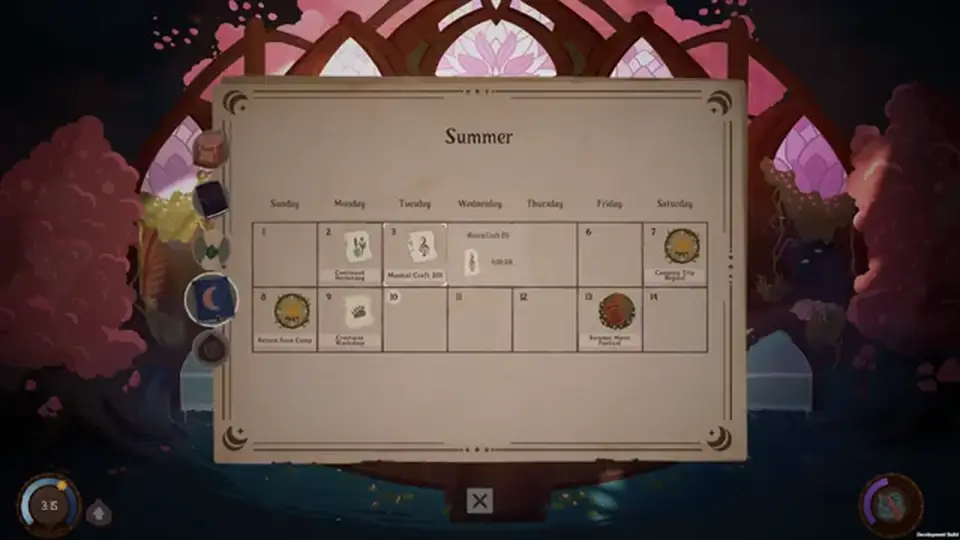
| Class time tomorrow | Your in-game calendar | Trust a weekday grid from a stranger |

“Potions 101 east wing, I brought the cauldron, the score never hits legendary” is answerable. “How do I 100% tonight” is not. The developer’s own description of the game is a quest RPG with light gardening: tools can be enchanted to work alone, the clock freezes at night and during important events, and mana is the daily limit. People on the server are useful when your save disagrees with that, not when you want them to replay the year in text.
Joining does not enroll you. After the rules post, start the beginner guide and pin a song. There is no code to redeem on the way in.
It is the invite linked from the Steam store socials as of October 3, 2026. The same code is https://discord.com/invite/acUwQzh. If Steam changes the button, follow Steam.
This game has no promo-code system on this wiki. Use the server for news and questions. Buy the game on Steam.
No. Do not enter a Steam or Discord password on a link from a DM. Verification that is real stays inside the Discord app.
TBA. The table on this page is a placeholder. Read the sidebar after you join.
Eastshade Studios is the Eastshade Studios community. Songs of Glimmerwick is discussed there. Do not join a second “Glimmerwick” server that does not match the Steam link.
Matched by build plan, shared topics, and guide progression — not random related links.